The Evaluator block uses AI to score and assess content quality against custom metrics. Perfect for quality control, A/B testing, and ensuring AI outputs meet specific standards.
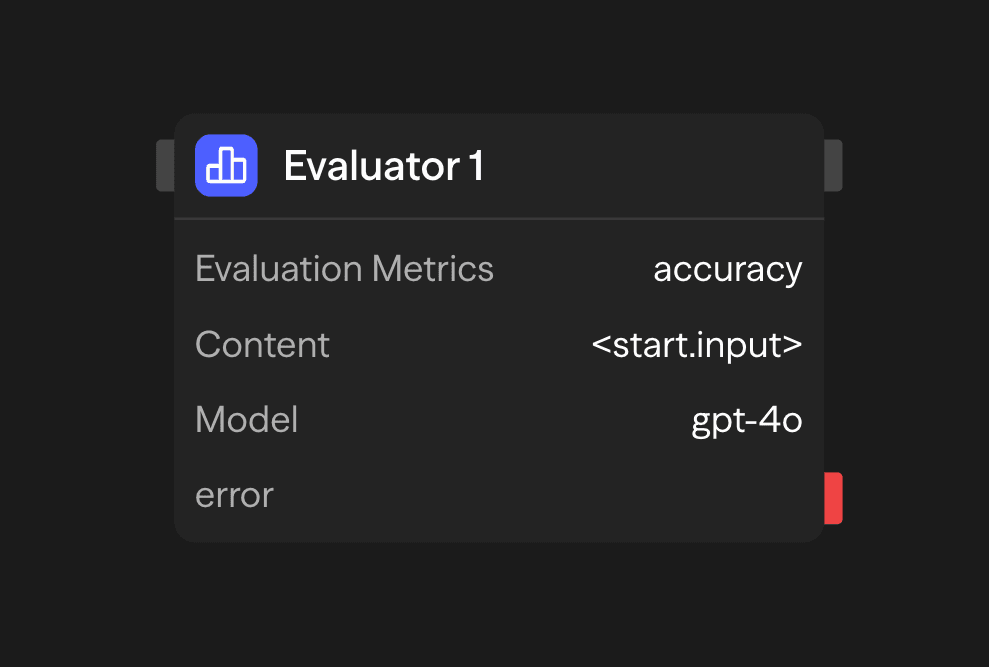
Configuration Options
Evaluation Metrics
Define custom metrics to evaluate content against. Each metric includes:
- Name: A short identifier for the metric
- Description: A detailed explanation of what the metric measures
- Range: The numeric range for scoring (e.g., 1-5, 0-10)
Example metrics:
Accuracy (1-5): How factually accurate is the content?
Clarity (1-5): How clear and understandable is the content?
Relevance (1-5): How relevant is the content to the original query?
Content
The content to be evaluated. This can be:
- Directly provided in the block configuration
- Connected from another block's output (typically an Agent block)
- Dynamically generated during workflow execution
Model Selection
Choose an AI model to perform the evaluation. The model combobox is the same one the Agent block uses and lists the same providers: OpenAI, Anthropic, Google, Vertex AI, Azure OpenAI, Azure Anthropic, AWS Bedrock, xAI, Deepseek, Groq, Cerebras, Mistral AI, Kimi, Fireworks, OpenRouter, and local models via Ollama or VLLM.
Use models with strong reasoning capabilities for best results. If you select no model, the evaluation runs on claude-opus-4-7.
API Key
Your API key for the selected LLM provider. This is securely stored and used for authentication. Azure, Vertex AI, and AWS Bedrock models show extra credential fields, exactly as the Agent block does:
- Azure: endpoint and API version
- Vertex AI: Google Cloud account with project and location
- AWS Bedrock: AWS access key, secret, and region
Temperature and System Prompt
The block shows a Temperature slider and a System Prompt field, but the evaluation does not read either. Every evaluation runs at a fixed temperature of 0.1. For models that do not support temperature, the block omits the temperature. The block generates the prompt from your metrics and content. The prompt lists each metric with its range and description, includes the content, and instructs the model to return only a JSON object of scores. Change the metrics or the content to change what the model is asked.
Example Use Cases
Content Quality Assessment - Evaluate content before publication
Agent (Generate) → Evaluator (Score) → Condition (Check threshold) → Publish or ReviseA/B Testing Content - Compare multiple AI-generated responses
Parallel (Variations) → Evaluator (Score Each) → Function (Select Best) → ResponseCustomer Support Quality Control - Ensure responses meet quality standards
Agent (Support Response) → Evaluator (Score) → Function (Log) → Condition (Review if Low)Outputs
<evaluator.content>: Object of numeric scores keyed by the lowercase metric name, for example{ "accuracy": 4, "clarity": 5 }<evaluator.metricname>: Each score is also available at the top level under its lowercase metric name, for example<evaluator.accuracy><evaluator.model>: Model used for evaluation<evaluator.tokens>: Token usage statistics (input,output,total)<evaluator.cost>: Estimated evaluation cost (input,output,total)
Best Practices
- Use specific metric descriptions: Clearly define what each metric measures to get more accurate evaluations
- Choose appropriate ranges: Select scoring ranges that provide enough granularity without being overly complex
- Connect with Agent blocks: Use Evaluator blocks to assess Agent block outputs and create feedback loops
- Use consistent metrics: For comparative analysis, maintain consistent metrics across similar evaluations
- Combine multiple metrics: Use several metrics to get a comprehensive evaluation