The Function block executes custom JavaScript or Python code in your workflows. Transform data, perform calculations, or implement custom logic.
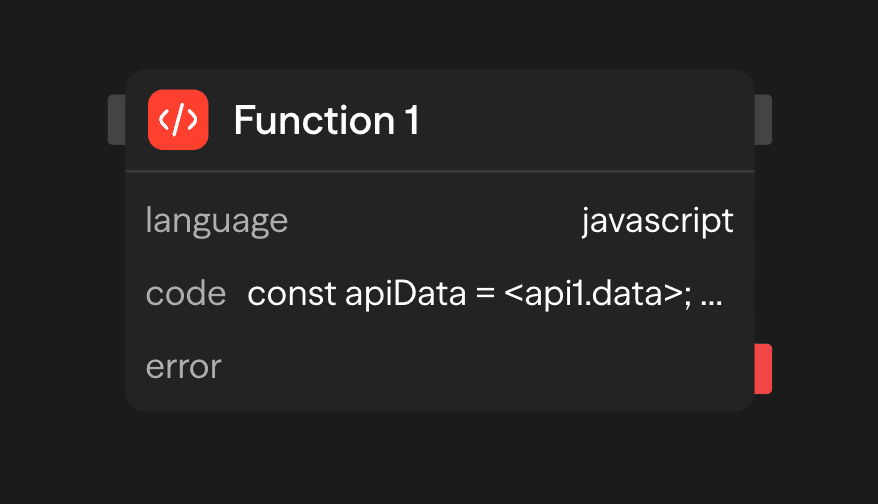
Configuration Options
Language
Choose JavaScript (the default) or Python. JavaScript without imports runs in a local isolated VM. Python, and JavaScript that uses import or require, run in an E2B sandbox. That sandbox needs E2B enabled for your deployment (E2B_ENABLED). Without it, those runs fail with an error that names the missing setting.
Code
Write the body of a function. Your code runs inside an async function, so you can use await directly. Whatever you return becomes the block's result output. Reference upstream block outputs with <blockName.field> and environment variables with {{ENV_VAR}}. Do not wrap either in quotes, because SteelEngine substitutes the values before the code runs. The AI wand generates a JavaScript function body from a description.
Execution Environment
- Timeout: Set Timeout (ms) under Advanced to give a block more or less time. Left blank, the block uses the platform default: 300 seconds, or
EXECUTION_TIMEOUT_FREEif your operator sets it. Values below 1000 ms are raised to 1000 ms, and values are capped at the platform maximum (90 minutes by default), and the workflow's own execution timeout still applies. Code that runs in E2B is also limited by your E2B plan's maximum sandbox lifetime. - Network:
fetch()is available in the local VM. When your operator has configured an egress allowlist, SteelEngine checks every request against it. URLs longer than 8,192 characters are rejected. Responses larger than 16,000,000 characters (or 32 MiB) fail with a size error. Operators can change these limits withIVM_MAX_FETCH_URL_LENGTH,IVM_MAX_FETCH_RESPONSE_CHARS, andIVM_MAX_FETCH_RESPONSE_BYTES. - Libraries: The local VM has no package imports. Code that needs a library must import it and run in E2B.
Outputs
<function.result>: The value returned from your function<function.stdout>: Console.log() output from your code
Example Use Cases
Data Processing Pipeline - Transform API response into structured data
API (Fetch) → Function (Process & Validate) → Function (Calculate Metrics) → ResponseBusiness Logic Implementation - Calculate loyalty scores and tiers
Agent (Get History) → Function (Calculate Score) → Function (Determine Tier) → Condition (Route)Data Validation and Sanitization - Validate and clean user input
Input → Function (Validate & Sanitize) → API (Save to Database)Example: Loyalty Score Calculator
// <agent> resolves to the Agent block's whole output. The fields below exist at
// the top level only when that Agent has a Response Format that defines them.
const { purchaseHistory, accountAge, supportTickets } = <agent>;

// Calculate metrics
const totalSpent = purchaseHistory.reduce((sum, purchase) => sum + purchase.amount, 0);
const purchaseFrequency = purchaseHistory.length / (accountAge / 365);
const ticketRatio = supportTickets.resolved / supportTickets.total;

// Calculate loyalty score (0-100)
const spendScore = Math.min(totalSpent / 1000 * 30, 30);
const frequencyScore = Math.min(purchaseFrequency * 20, 40);
const supportScore = ticketRatio * 30;

const loyaltyScore = Math.round(spendScore + frequencyScore + supportScore);

return {
  customer: <agent.name>,
  loyaltyScore,
  loyaltyTier: loyaltyScore >= 80 ? "Platinum" : loyaltyScore >= 60 ? "Gold" : "Silver",
  metrics: { spendScore, frequencyScore, supportScore }
};
Best Practices
- Keep functions focused: Write functions that do one thing well to improve maintainability and debugging
- Handle errors gracefully: Use try/catch blocks to handle potential errors and provide meaningful error messages
- Test edge cases: Ensure your code handles unusual inputs, null values, and boundary conditions correctly
- Optimize for performance: Be mindful of computational complexity and memory usage for large datasets
- Use console.log() for debugging: Leverage stdout output to debug and monitor function execution