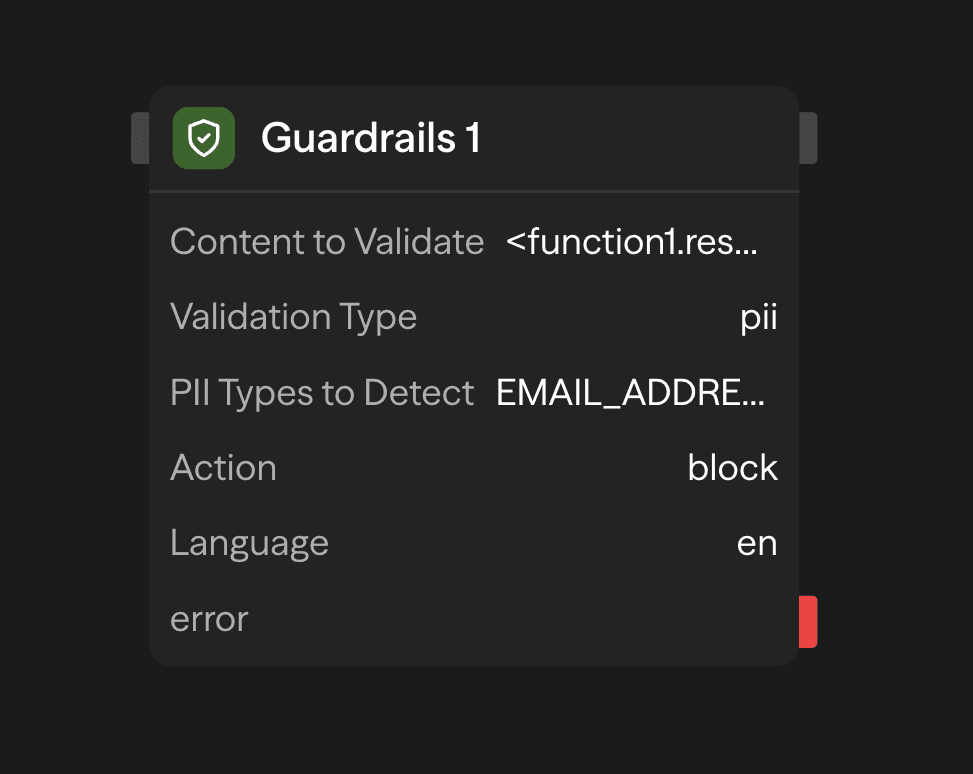
The Guardrails block validates and protects your AI workflows by checking content against multiple validation types. Ensure data quality, detect PII, and enforce format requirements before content moves through your workflow.
Validation Types
JSON Validation
Validates that content is properly formatted JSON. Perfect for ensuring structured LLM outputs can be safely parsed.
Use Cases:
- Validate JSON responses from Agent blocks before parsing
- Ensure API payloads are properly formatted
- Check structured data integrity
Output:
passed:trueif valid JSON,falseotherwiseerror: Error message if validation fails (e.g., "Invalid JSON: Unexpected token...")
Regex Validation
Checks if content matches a specified regular expression pattern.
Use Cases:
- Validate email addresses
- Check phone number formats
- Verify URLs or custom identifiers
- Enforce specific text patterns
Configuration:
- Regex Pattern: The regular expression to match against (e.g.,
^[a-zA-Z0-9._%+-]+@[a-zA-Z0-9.-]+\.[a-zA-Z]{2,}$for emails). Patterns longer than 500 characters are rejected. The AI wand can write a pattern from a description
Output:
passed:trueif content matches pattern,falseotherwiseerror: Error message if validation fails
Hallucination Detection
Checks whether AI-generated content is supported by your knowledge base. It splits the content into claims, retrieves the closest chunks for each claim, and asks TypeSafe's Jev model whether the retrieved text supports, contradicts, or says nothing about each claim.
The hallucination check needs a TypeSafe API key under Settings → Bring Your Own Keys (provider: TypeSafe). Without one it returns passed: false with errorCode: no_key and does not error.
How It Works:
- Splits the content into claims on sentence boundaries and newlines (up to 20 claims are judged; the rest count as unchecked)
- Retrieves the top chunks from your knowledge base for each claim
- Sends the claims and their excerpts to Jev in one request and classifies each claim as supported, contradicted, or unresolved
- Any contradiction fails the check. Otherwise the score is 10 × (supported claims ÷ all claims) and the check passes when the score is at or above the threshold
Configuration:
- Knowledge Base: Select from your existing knowledge bases
- Confidence: Minimum score to pass (0-10, default: 7). A score of 7 passes when at least 70% of claims are supported; lower it for thin knowledge bases, raise it to 10 when every claim must be grounded
- Number of Chunks to Retrieve (Advanced): Chunks retrieved per claim (1-20, default: 3)
The model picker and API key field have been removed: the check always runs on Jev with the workspace or organization TypeSafe key. Saved workflows that still carry a model value load normally; the value is ignored.
Output:
passed:truewhen no claim is contradicted and the score meets the thresholdscore: Share of claims supported, times ten (0-10). Absent on configuration failuresreasoning: How many claims were supported, contradicted, unresolved, and not checked, naming any contradicted claimerrorCode: Set only on a configuration failure, never on a real verdict:
errorCode | Meaning |
|---|---|
no_key | No TypeSafe key on the workspace or organization |
no_knowledge_base | No knowledge base selected, or it was not found |
retrieval_empty | The knowledge base returned no chunks for any claim |
no_claims | The content had nothing to check |
low_confidence | No claim was confirmed or contradicted above the 0.8 confidence cutoff |
provider_error | TypeSafe, retrieval, or authorization failed, or a claim and its excerpts are too long to send (shorten the content and retry); the block does not throw and is not retried |
model,tokens,cost: The Jev call's usage, attributed to the providertypesafe
Data and Privacy: The content and the retrieved knowledge-base excerpts are sent to TypeSafe (US-hosted) and stored in execution logs like other AI block inputs. An organization-level key enables this for every workspace in the organization.
Use Cases:
- Validate Agent responses against documentation
- Ensure customer support answers are factually accurate
- Verify generated content matches source material
- Quality control for RAG applications
PII Detection
Detects personally identifiable information using Microsoft Presidio. It supports 41 entity types across multiple countries.
How It Works:
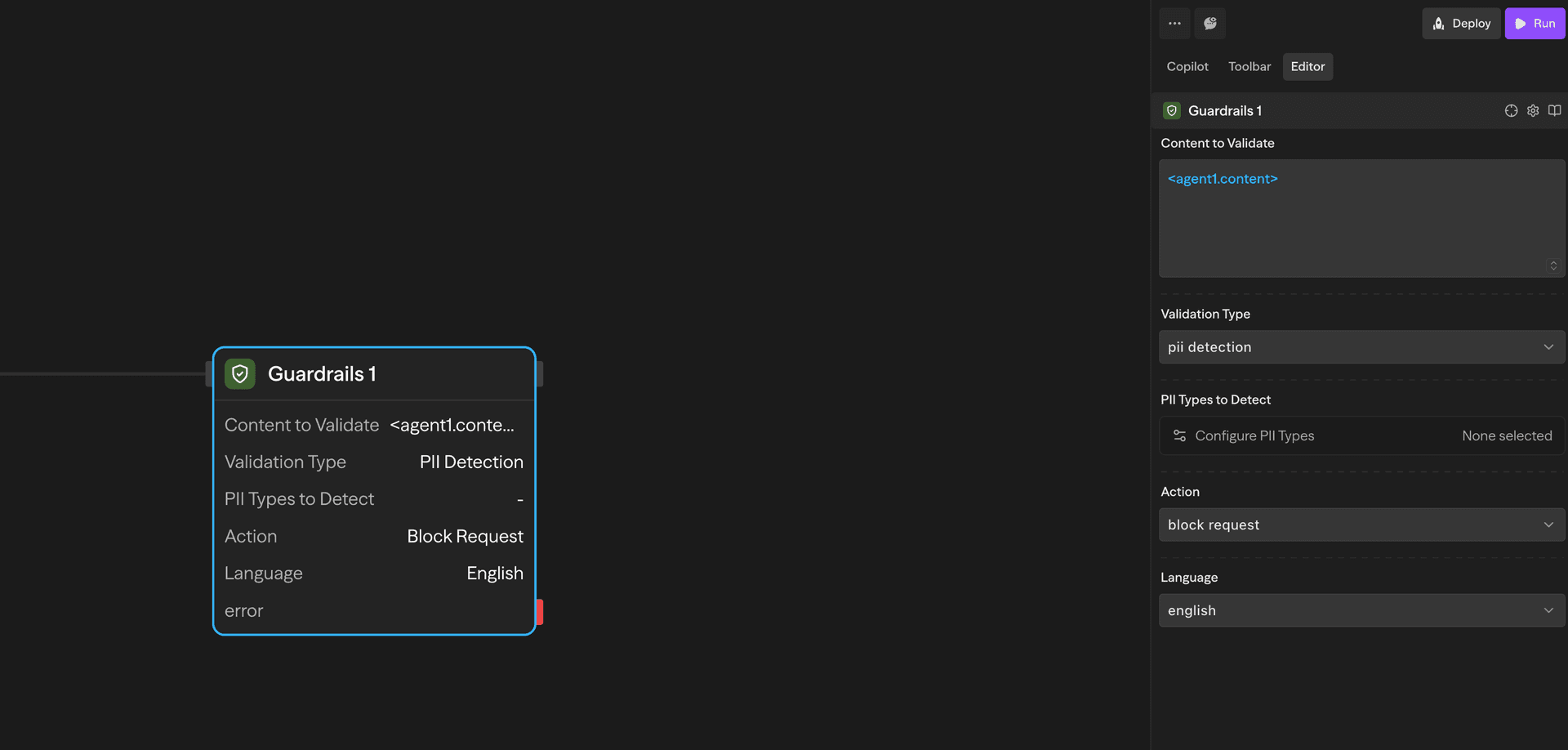
- Pass content to validate (e.g.,
<agent1.content>) - Select PII types to detect using the modal selector
- Choose the action (Block Request or Mask PII)
- Content is scanned for matching PII entities
- Returns detection results and optionally masked text
Configuration:
- PII Types to Detect: Select from grouped categories via modal selector. Leave every type unselected to scan for all supported entities
- Common: Person name, Email address, Phone number, Location, Date or time, IP address, URL, Credit card number, International Bank Account Number, Cryptocurrency wallet address, Medical license number, Nationality, religious or political group
- USA: Bank account number, Driver license, ITIN, Passport number, Social Security Number
- UK: NHS number, National Insurance Number
- Spain: NIF, NIE
- Italy: Fiscal code, Driver license, VAT code, Passport, Identity card
- Poland: PESEL
- Singapore: NRIC/FIN, Unique Entity Number
- Australia: ABN, ACN, TFN, Medicare
- India: PAN, Aadhaar, Vehicle registration, Voter ID, Passport
- Finland: Personal Identity Code
- Korea: Resident Registration Number
- Thailand: National ID Number
- Action:
- Block Request: Only identify PII (default)
- Mask PII: Replace detected PII with masked values
- Language: Detection language. Only English works today, because the detection engine loads an English model only. Choosing Spanish, Italian, Polish, or Finnish fails the validation with a
PII detection failederror
Output:
passed:falseif any selected PII types are detecteddetectedEntities: Array of detected PII with type, location, and confidencemaskedText: Content with PII masked (only if mode = "Mask")error: Error message if validation fails
Use Cases:
- Block content containing sensitive personal information
- Mask PII before logging or storing data
- Compliance with GDPR and other privacy regulations
- Sanitize user inputs before processing
Configuration
Content to Validate
The input content to validate. This typically comes from:
- Agent block outputs:
<agent.content> - Function block results:
<function.result> - API responses:
<api.data> - Any other block output
Validation Type
Choose from four validation types:
- Valid JSON: Check if content is properly formatted JSON
- Regex Match: Verify content matches a regex pattern
- Hallucination Check: Validate claims against a knowledge base with TypeSafe Jev
- PII Detection: Detect and optionally mask personally identifiable information
Outputs
All validation types return:
<guardrails.passed>: Boolean indicating if validation passed<guardrails.validationType>: The type of validation performed<guardrails.input>: The original input that was validated<guardrails.error>: Error message if validation failed (optional)
Additional outputs by type:
Hallucination Check:
<guardrails.score>: Share of claims supported, times ten (0-10); absent on configuration failures<guardrails.reasoning>: Supported, contradicted, unresolved, and unchecked claim counts<guardrails.errorCode>: Configuration failure code (see the table above); absent on a real verdict<guardrails.model>,<guardrails.tokens>,<guardrails.cost>: Jev usage for the check
PII Detection:
<guardrails.detectedEntities>: Array of detected PII entities<guardrails.maskedText>: Content with PII masked (if mode = "Mask")
Example Use Cases
Validate JSON Before Parsing - Ensure Agent output is valid JSON
Agent (Generate) → Guardrails (Validate) → Condition (Check passed) → Function (Parse)Enforce an Output Format - Check that an extracted value matches a pattern
Agent (Extract Email) → Guardrails (Regex Match) → Condition (passed) → Gmail (Send) or Agent (Retry)Block PII in User Inputs - Sanitize user-submitted content
Input → Guardrails (Detect PII) → Condition (No PII) → Process or RejectBest Practices
- Chain with Condition blocks: Use
<guardrails.passed>to branch workflow logic based on validation results - Use JSON validation before parsing: Always validate JSON structure before attempting to parse LLM outputs
- Choose appropriate PII types: Only select the PII entity types relevant to your use case for better performance
- Set reasonable confidence thresholds: For hallucination detection, the score is the share of claims supported times ten, so raise the threshold toward 7 or 10 when every claim must be grounded
- Branch on errorCode: Treat
<guardrails.errorCode>as a configuration problem to fix, not as a hallucination - Mask PII for logging: Use "Mask" mode when you need to log or store content that may contain PII
- Test regex patterns: Validate your regex patterns thoroughly before deploying to production
- Monitor validation failures: Track
<guardrails.error>messages to identify common validation issues
Guardrails validation happens synchronously in your workflow. JSON, regex, and PII checks run in-process without calling a model.